Android application

GPS Emulator -
Routes & Joystick

GPS Emulator - Routes & Joystick provides mock location, route simulation, and joystick-based movement in one polished Android utility. Select a spot on the map, build a route, or take manual control.

Platform Android
Developer Perinol Tools
Billing Google Play
Core Features

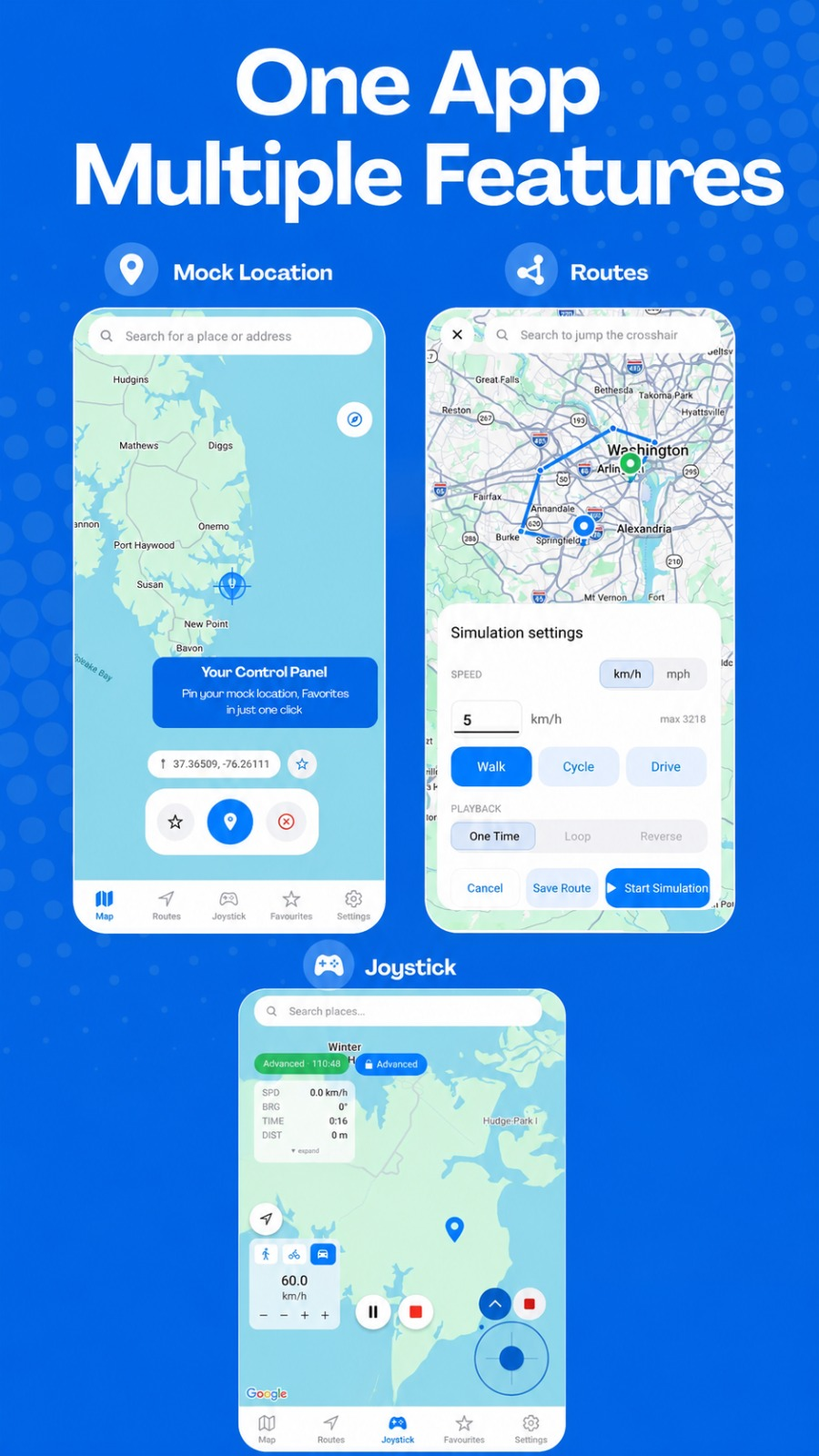
One app. Multiple features.

From a single tap on the map to full route simulation and manual joystick movement — GPS Emulator - Routes & Joystick brings together the tools you need.

Mock Location

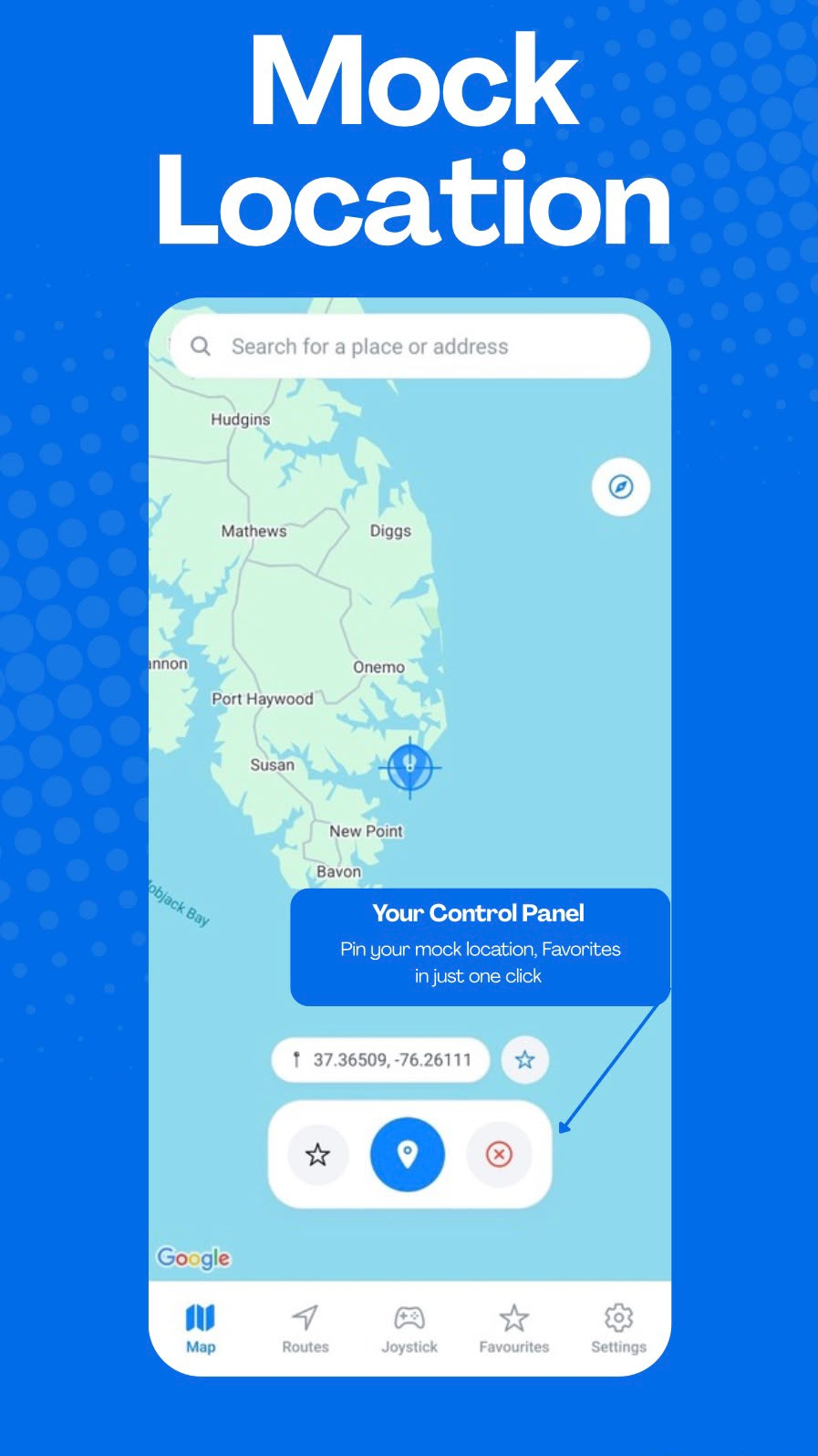
Tap anywhere on the map to select a location and simulate your device's GPS position using Android's supported mock-location capabilities.

Learn about Android mock location

Routes

Build routes by selecting waypoints on the map and simulate smooth, continuous movement along them at your chosen speed.

Explore GPS route simulation

Joystick

Take manual control of your simulated position with an intuitive on-screen joystick. Adjust movement direction and speed in real time.

See GPS joystick controls
Interactive Map

Choose anywhere on the map.

Browse a fully interactive map, tap to select any location, and immediately begin simulating. Save the places you use most for instant access later.

  • Explore the map freely and select any coordinate
  • Search or browse to find the perfect starting point
  • Save favorite locations for quick reuse
  • Use selected points as route origins or simulation targets
Route Simulation

Turn locations into movement.

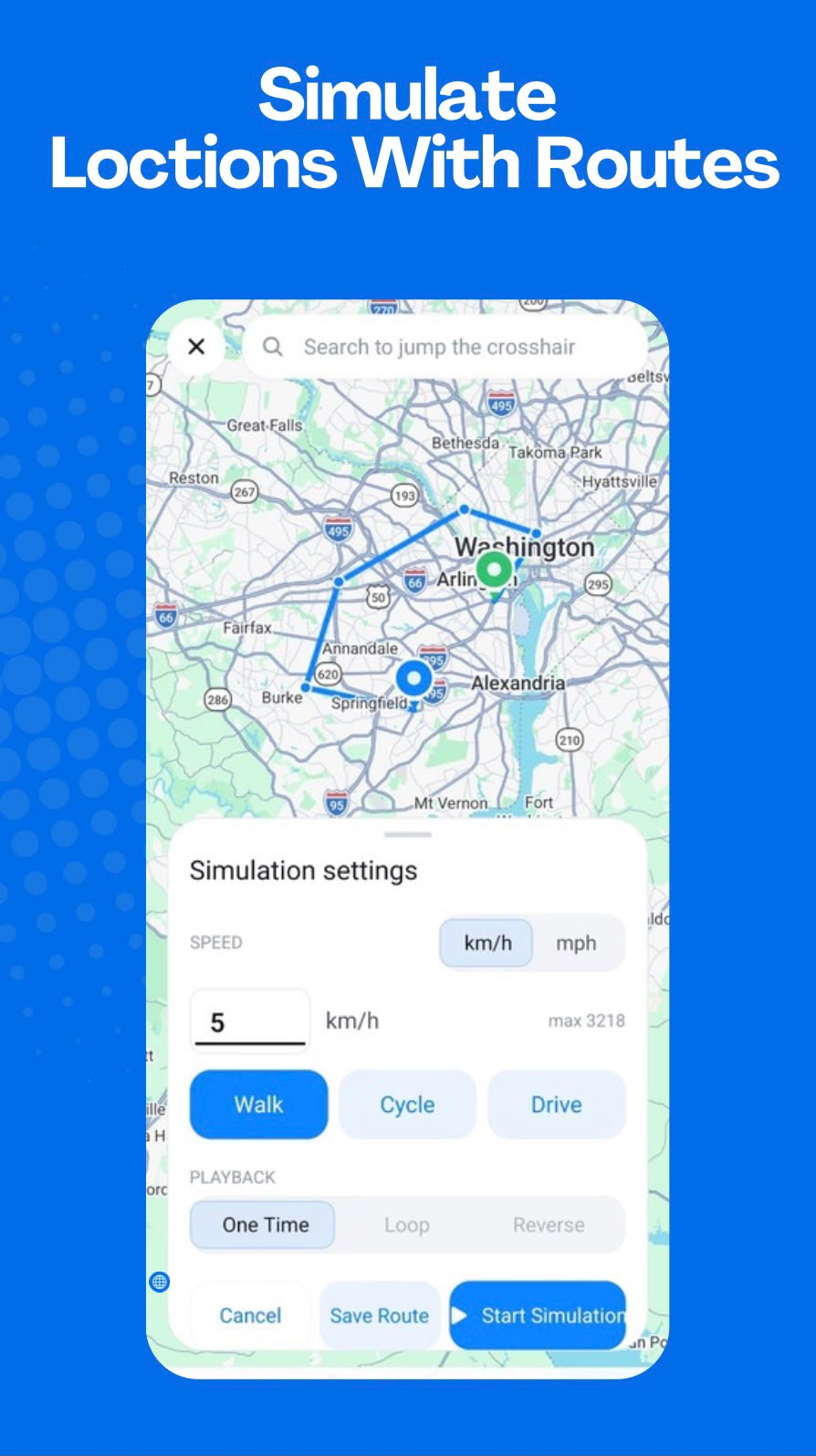
Create a route between points and let GPS Emulator - Routes & Joystick simulate smooth, continuous movement along it — with full control over speed, playback, and direction.

  1. Select waypoints
    Tap the map to place a start point, destination, and any stops along the way.
  2. Set speed & mode
    Choose Walk, Cycle, or Drive — set a custom speed and pick One Time, Loop, or Reverse playback.
  3. Start simulation
    Tap Start Simulation and your device location moves continuously along the planned path.
  4. Save & reuse
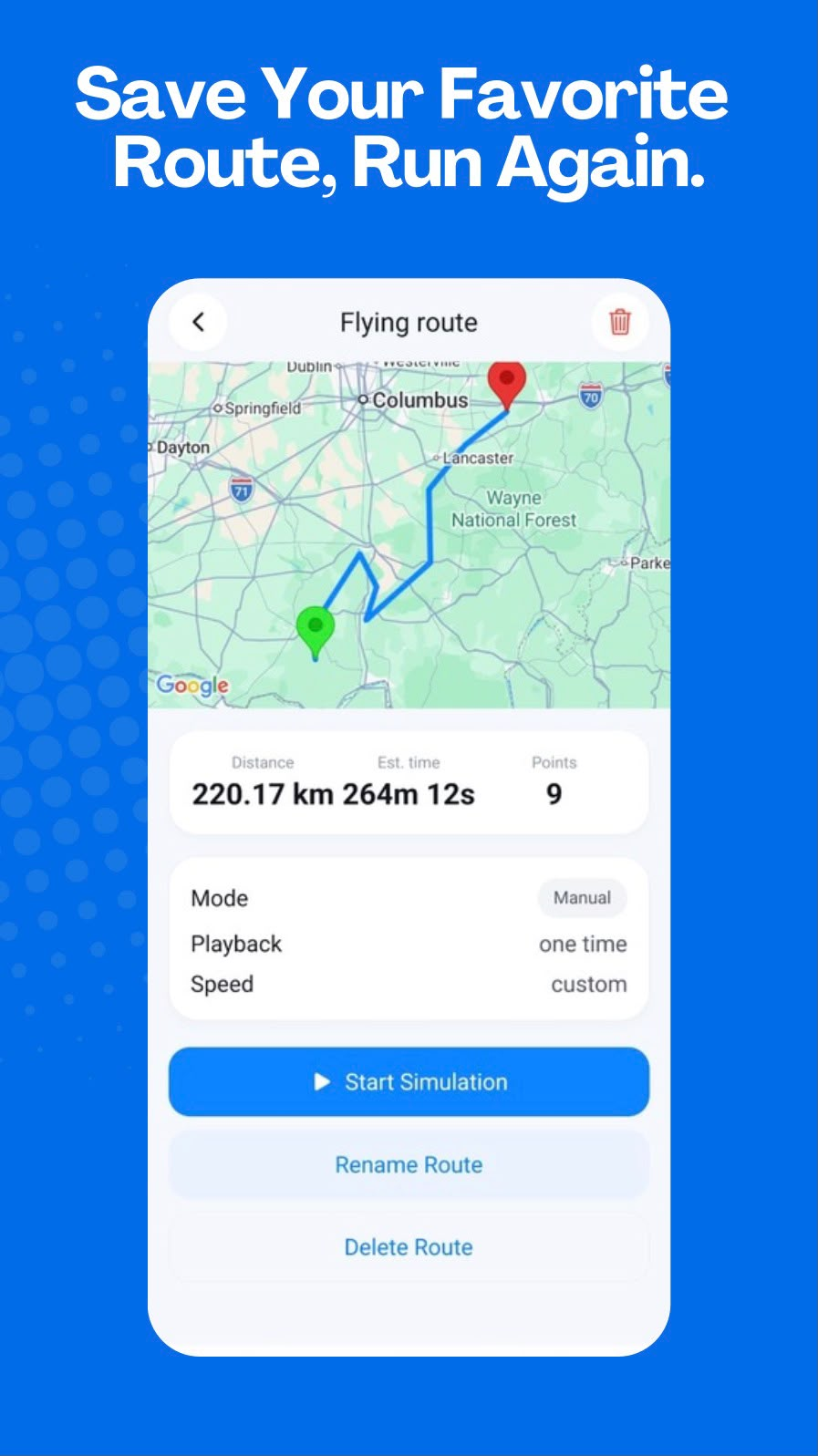
    Save routes to run again later — with distance, estimated time, and waypoint count stored.
Manual Control

Control every move.

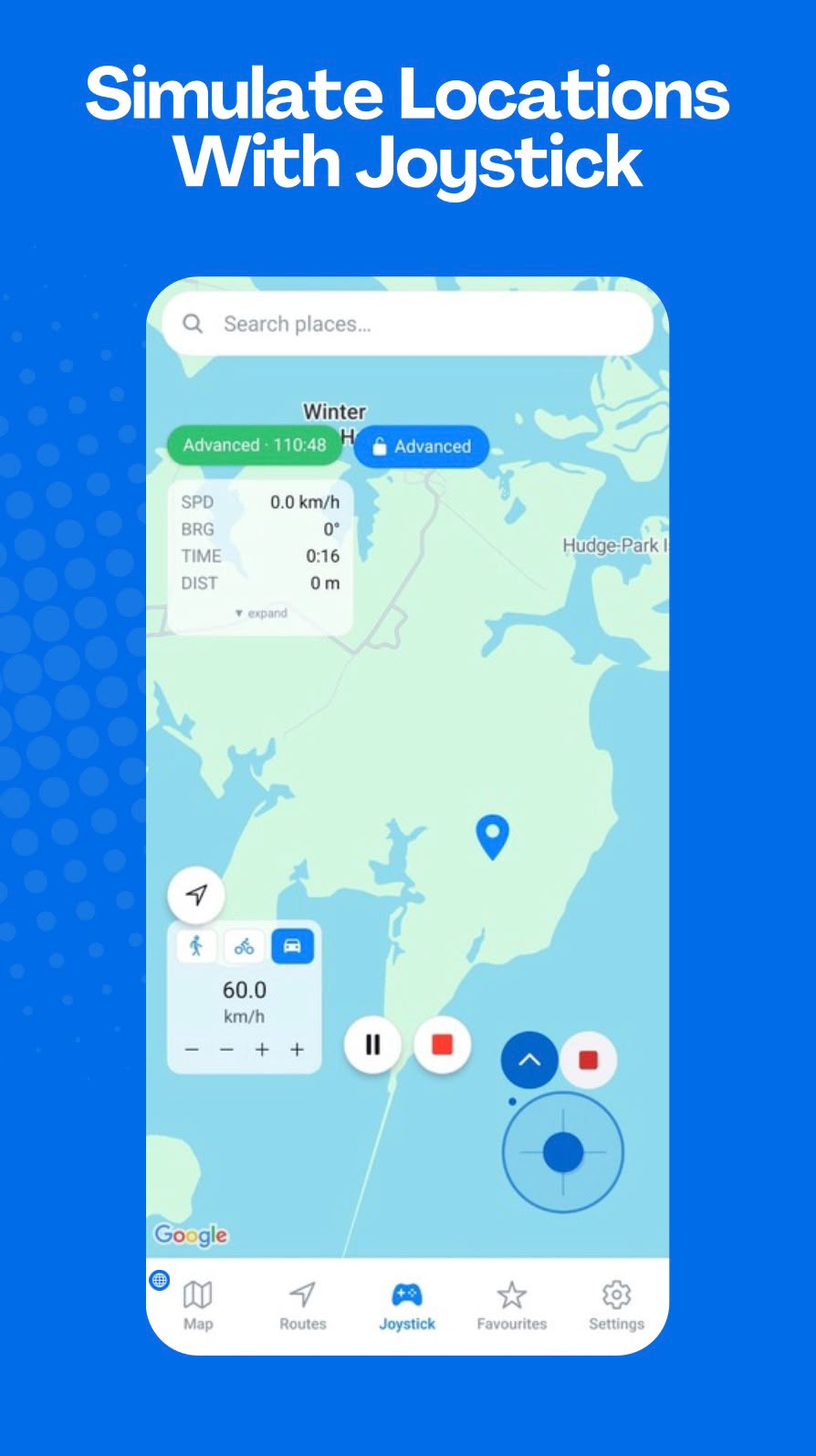
When you want hands-on control, the joystick interface lets you guide your simulated position in any direction at your chosen speed.

  • Drag the on-screen joystick to move your simulated location in any direction
  • Adjust speed with +/- controls — choose Walk, Cycle, or Drive mode
  • Live stats panel shows speed (SPD), bearing (BRG), elapsed time, and distance
  • Pause or stop the simulation at any time with the on-screen controls
  • Floating overlay joystick supported on compatible Android devices
Saved Locations

Keep important locations close.

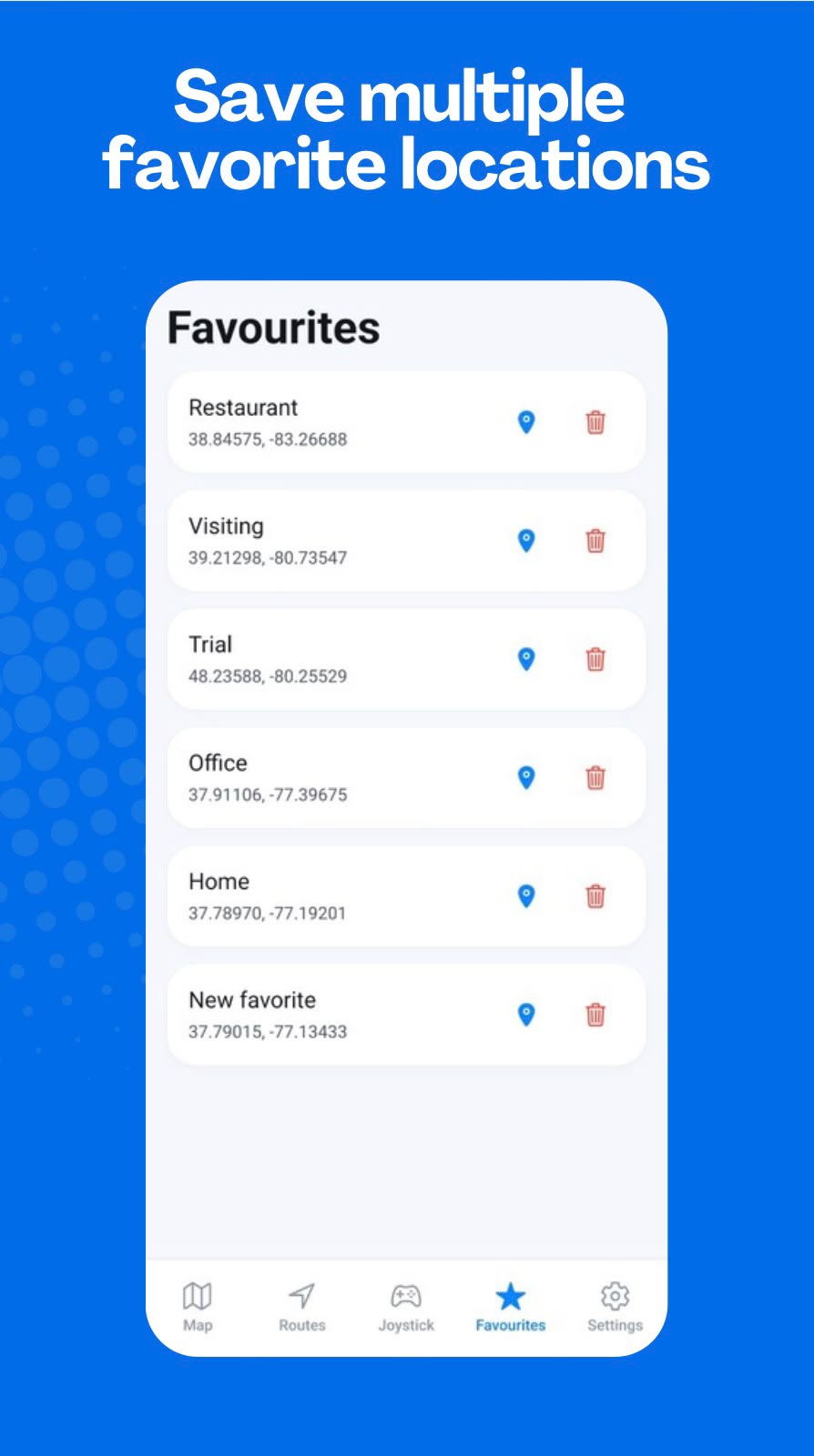
Save the coordinates you return to most often. Access them instantly for quick mock location or route setup without re-searching each time.

Restaurant
38.84575, -83.26688
Office
37.91106, -77.39675
Home
37.78970, -77.19201
Visiting
39.21298, -80.73547
How It Works

Up and running in four steps.

GPS Emulator - Routes & Joystick is designed to get you simulating quickly, with minimal setup required.

  1. Select

    Tap the map to choose a location, or build a multi-point route across the map.

  2. Configure

    Choose your simulation mode — mock location, route, or joystick — and set your speed.

  3. Start

    Launch the simulation using Android's supported mock-location system with one tap.

  4. Control

    Manage movement through route playback controls or live joystick direction input.

App Showcase

See it in action.

A polished Android experience across every major feature.

Main Map
GPS Emulator - Routes & Joystick — one app, multiple features: mock location, routes, and joystick
Main Map
Mock Location
GPS Emulator - Routes & Joystick mock location screen
Mock Location
Route Builder
GPS Emulator - Routes & Joystick route builder and simulation settings
Route Builder
Route Simulation
GPS Emulator - Routes & Joystick saved route — Flying route between Columbus and Alexandria
Route Simulation
Joystick
GPS Emulator - Routes & Joystick control with live speed, bearing and distance readout
Joystick
Favorites
GPS Emulator - Routes & Joystick favourites list with saved locations
Favorites

More control.
Fewer limits.

GPS Emulator - Routes & Joystick Premium unlocks access to the full set of advanced features, available as a Google Play subscription.

  • Access to Premium features and capabilities
  • Managed through your Google Play account
  • Cancel or manage subscription anytime via Google Play

Subscriptions are managed through Google Play and may vary by region.

Privacy

Built with transparency in mind.

  • No account required. Use GPS Emulator - Routes & Joystick without creating any user account or profile.

  • Location when needed. Your location data may be processed when using features such as route calculation.

  • Third-party providers. Certain features use third-party routing and analytics services, as described in the Privacy Policy.

  • Payments via Google Play. All subscription billing is handled securely by Google Play.

Read Privacy Policy
FAQ

Common questions.

GPS Emulator - Routes & Joystick is an Android utility designed for supported mock-location and GPS simulation workflows. It lets you select a map location, build routes, and control simulated movement with an on-screen joystick — all from one app.
Android mock location is a supported system capability used in development, testing, and simulation workflows to provide a controlled location to a device. Device setup and compatibility can vary.
No account is required. You can use GPS Emulator - Routes & Joystick without registering or signing in.
When you create a route, the coordinates you select may be transmitted to a third-party routing provider to generate path data. This is required for route functionality. For full details, see the Privacy Policy.
Yes. Build a route from selected locations, choose movement settings, and run a simulation with available playback options. Routes can also be saved for later use.
Yes. The on-screen joystick supports manual simulated movement with adjustable speed. A floating joystick is available on compatible Android devices and configurations.
The current version is designed for Android. There is no iOS version at this time.
All Premium purchases are processed through Google Play Billing. You can manage or cancel your subscription at any time through your Google Play account settings.
GPS Emulator - Routes & Joystick relies on Android's built-in mock-location system. Whether simulated location data is accepted by a third-party application depends on that app, your device, and your Android settings. Compatibility is not guaranteed for all applications.

Learn the basics

Practical guides for Android GPS simulation.

Understand Android mock location, route simulation, and joystick controls with clear, product-specific guidance.

Browse GPS Emulator - Routes & Joystick guides

Take control of your
GPS simulation.

Everything you need for locations, routes, and joystick control in one Android app.